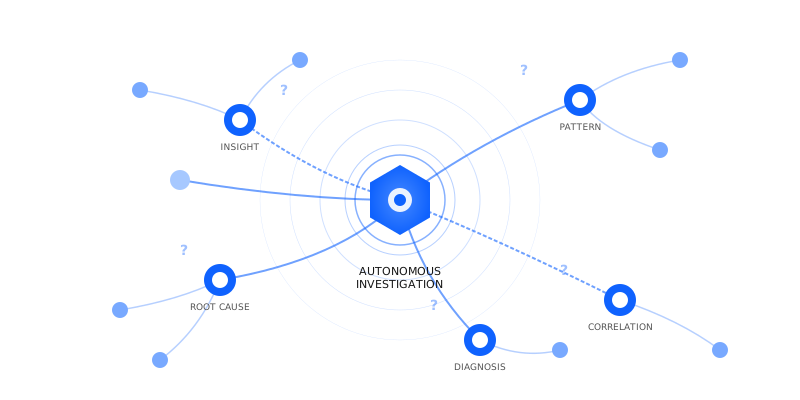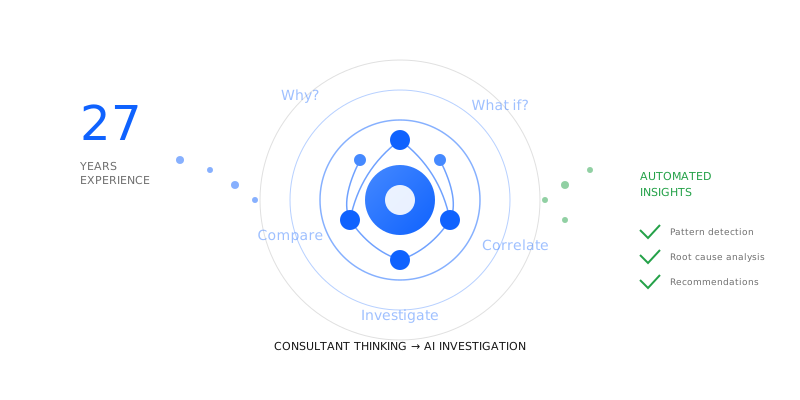
Autonomous intelligence means nothing if the loop never closes. Detection without resolution is just expensive alerting.
Engagor's autonomous AI has always been good at finding deliverability problems. A Microsoft bounce rate spike at 2 AM. A French ISP silently rejecting your transactional domain. The detection loop catches all of it, across every issue type, every ISP, every sender identity.
But here's what it couldn't do: confirm the problem was actually gone.
Issues stayed open until someone manually archived them, or until a TTL timer quietly expired. There was no mechanism that looked at the last 24 hours and said: this cleared. Today, that changes.
Why 30-day Averages Are Blind to Recovery
Engagor's detection loop runs every hour. It analyzes 30 days of data to establish baselines, identify anomalies, and surface issues that matter. That 30-day window is what makes detection reliable. A single bad hour doesn't trigger a false alarm. A genuine spike does.
But 30-day averages are blind to recovery.
Imagine a Microsoft bounce rate that spikes to 34% on January 6th. Engagor catches it immediately. Your team investigates, fixes the root cause, and by January 7th the rate is back to 0.4%. Clean.
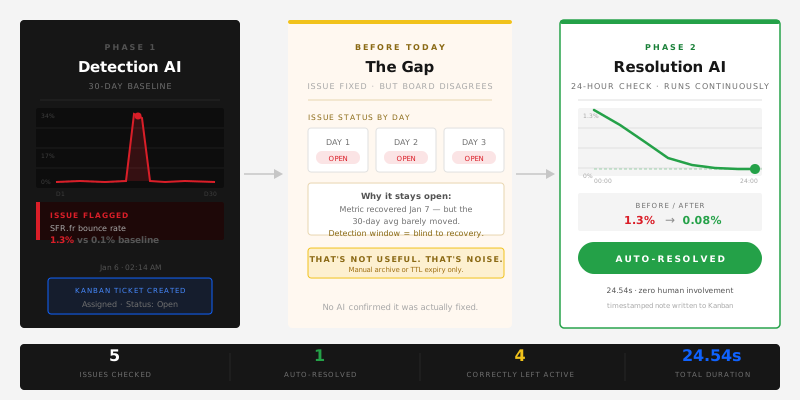
Except the detection loop doesn't see it that way. It looks at 30 days of data. In that window, the spike is real but small. The average barely moved. So the issue stays open. Day after day, the AI reports that the problem is "still ongoing" because from a 30-day perspective, it technically is.
That's not useful. That's noise.
How Automated Issue Resolution Works in Engagor
The fix isn't to change how detection works. The 30-day baseline is correct for finding problems. The fix is to separate two fundamentally different tasks.
Starting today, Engagor runs a second agentic loop dedicated entirely to resolution.
The Resolution Agentic Loop runs continuously. It takes every open autonomous issue and asks a single focused question: has this cleared in the last 24 hours? We use 24 hours because it gives a metric time to stabilise after a fix, while keeping resolution latency short enough to be operationally useful.
It pulls only 24-hour data for each affected metric and ISP combination. It compares that against the pre-incident baseline. If the metric has returned to normal for the full 24-hour window, and if the confidence threshold is met, it resolves the issue automatically and writes a resolution note with the before and after numbers.
Confidence is based on consistency across the full 24-hour window and minimum volume thresholds per ISP. The system won't call something resolved on a handful of messages.
If it's not confident, it leaves the issue open. Better to keep an issue active one day longer than to resolve something that isn't actually fixed.
What This Looks Like in Practice
In the first live run today, the Resolution AI processed five open issues for a customer running 180 million emails per month.
One issue resolved: SFR.fr hard bounce rate had dropped from 1.3% to 0.08% over the last 24 hours. Auto-resolved, with the full before/after in the resolution note.
Four issues stayed open: BT Internet bounce rate had worsened from 4.5% to 5.1%. Microsoft/Outlook had gone from 1.6% to 1.89%. Not resolved. Correctly left active.
One issue flagged as uncertain: Proofpoint, low volume, not enough data to confirm. Left open pending more signal.
Total duration: 24.54 seconds. Zero human involvement.
Two AIs, Two Jobs
The architecture is intentionally simple. Detection and resolution are separate concerns, so they run in separate loops with separate system prompts, separate data windows, and separate authority.
The detection AI reads your entire email ecosystem the way an experienced deliverability engineer would after a long weekend away. It doesn't check thresholds. It reasons across signals, time, volume, and provider behavior simultaneously, looking for things that feel wrong before it can fully explain why. Its job is to miss nothing.
The resolution AI is different. Quieter. It takes each open issue, pulls the last 24 hours of data, and asks a single question: does this still look like a problem? It won't resolve something it isn't certain about. It would rather leave an issue open one more day than close something that isn't actually fixed. Its job is to close only what is genuinely gone.
This is what autonomous intelligence means in practice: not a dashboard that shows you problems, but a system that actively monitors their resolution without waiting for a human to confirm it.
Neither loop touches the other's work. The detection loop keeps running. The resolution loop keeps auditing. Together, they give you a Kanban board that reflects reality, not just what was discovered, but what has actually been fixed.
Why Automated Resolution Matters for Email Deliverability Teams
Deliverability problems don't end when you fix them. They end when you can confirm they're fixed, with data, not gut feeling.
Every resolved issue now comes with a timestamped note: what the metric was at peak, what it returned to, and when. That's the audit trail your team needs. That's what goes into the Weekly AI Brief. That's what turns a deliverability incident into a closed case.
Resolution only changes the issue status in the Kanban board. It doesn't trigger automatic re-sends or queue changes. Those decisions stay with your team.
One AI finds the problem. Another one watches until it's gone.
Frequently Asked Questions
How does Engagor know when a deliverability issue is resolved? A dedicated Resolution AI checks 24-hour data for each open issue and compares it against the pre-incident baseline. If the metric has returned to normal for the full window and confidence thresholds are met, it auto-resolves with a timestamped before/after note.
What happens if the AI isn't sure the issue is resolved? It leaves the issue open. The system is deliberately conservative: it would rather keep an issue active one more day than close something that isn't actually fixed.
Does the resolution loop affect email sending or queue management? No. Resolution only updates the issue status in the Kanban board. Queue management and re-send decisions stay with your team.
Want to see autonomous issue resolution in your deliverability workflow?